
- Home
- Chatbot-to-CRM Integration
Chatbot Integration With CRM Built for Revenue Teams
Turn conversations into clean pipeline data with enterprise grade chatbot CRM integration. We connect chat, voice, and email to your CRM with governed actions, deduplication, owner rules, and audit ready logs.
- Clean data, zero duplicates
- Private, audit ready
Start Your Generative AI Consultation
What are you building first?








What We Build (Solutions & Use Cases)
We build chatbot integration with CRM that does more than capture text. Each solution qualifies, books, and updates records safely using governed APIs, territory logic, and robust error handling. For end to end agent capabilities, see our AI chatbot development services.

Lead Capture and Qualification to CRM
Capture UTM data, score fit, and write structured leads with routing by territory or product. Create tasks and sequences automatically.

Sales Meeting Scheduling
Offer pooled time slots, validate time zones, and write meetings with owner, attendees, and conferencing links. Reminders and reschedules are fully tracked.

Support Chat to Case Sync
Create cases with priority, product, and entitlement fields. Draft replies with citations, attach artifacts, and escalate with full transcript and summaries.

Account and Opportunity Updates
Summarize conversations into notes, update next steps, and adjust close dates or stages with approvals. All writes are idempotent and permission aware.

Data Enrichment and Hygiene
AI CRM chatbot validates emails, deduplicates records, normalizes picklists, and enriches firmographics to improve segmentation, scoring, and reporting accuracy.
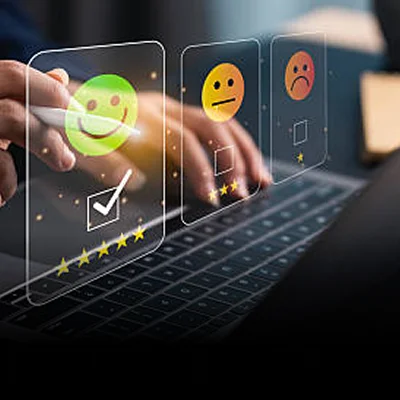
Customer 360 Insights and Alerts
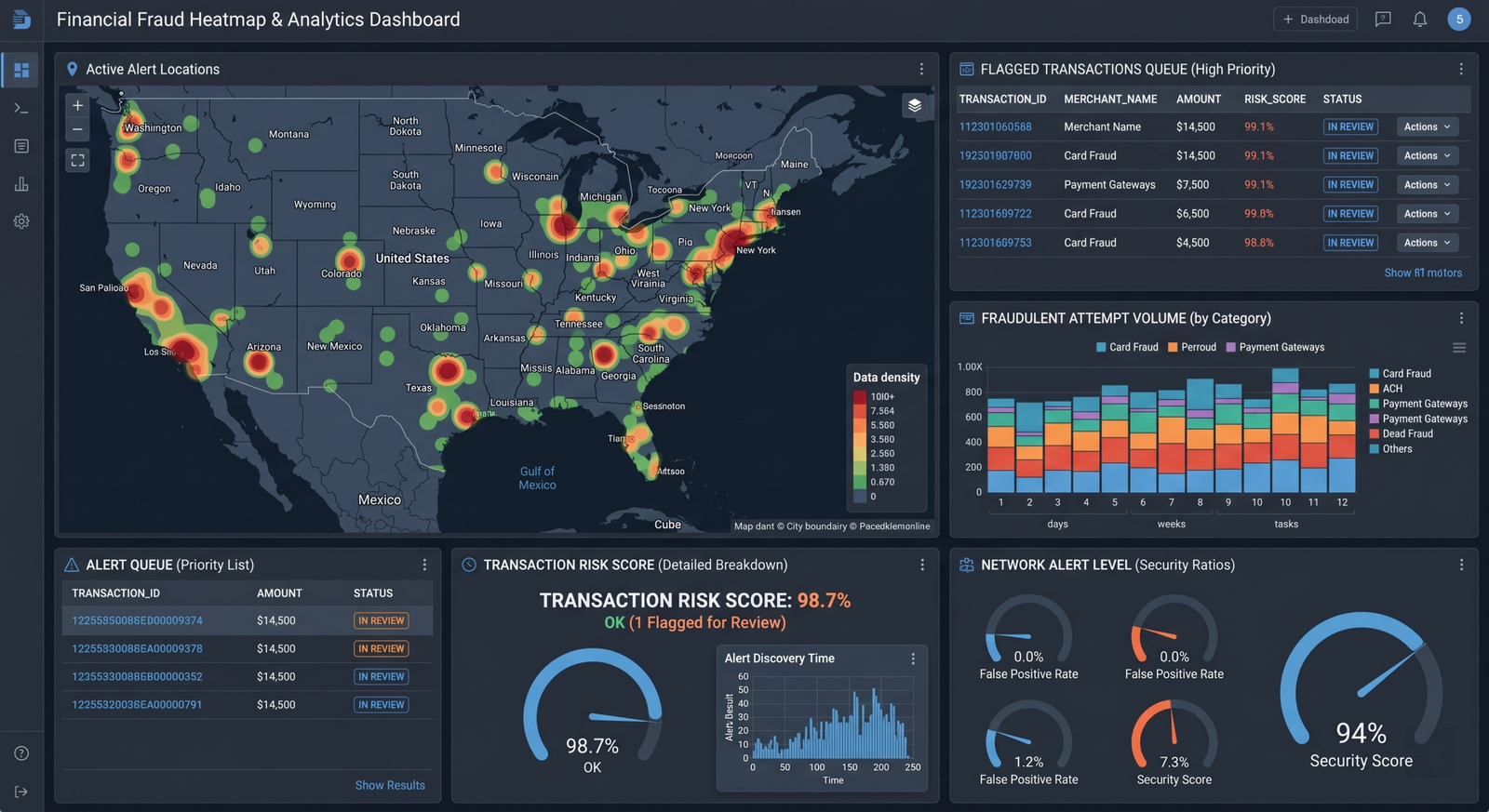
Combine support, product, and billing signals to flag churn risks, recommend actions, and create tasks for proactive intervention before SLAs slip.
Enterprise Grade Architecture
How We Build and Secure CRM Chatbot Integrations
We implement ai chatbot CRM integration as a resilient platform. Data contracts, identity, and rate control prevent breakage. Tool adapters execute safely under least privilege. Observability and evals keep quality and cost predictable at scale. For deep enterprise connectivity patterns, see our API development and integration practice.
Security is embedded by design. We implement OAuth with scoped tokens, tenant isolation, and context minimization. PII is redacted. Responses are grounded via RAG from approved sources. Every action is logged with human-readable traces. Canary rollouts, observability, and budget guardrails keep SLAs and costs predictable. Explore Security and Compliance, RAG Development and Knowledge Grounding, and MLOps and Model Monitoring for deeper coverage.
LLM Tech Stack
We select models and prompting strategies that respect latency, cost, and privacy, then harden with retrieval, structured tools, and deterministic fallbacks so your chatbot CRM integration remains predictable and debuggable across channels, teams, and changing workloads in production environments.
- Model choices across GPT-5 class, Claude, Llama, and Mistral, with private or compliant hosting and prompts tuned to CRM objects, intents, and validation flows.
- Retrieval grounding with access-aware filters, freshness rules, and citations so the bot answers with current pricing, policy, and entitlement content users can trust.
- Structured function calls for create, update, search, merge operations bound by JSON schemas, policy checks, and validation before commit to protect reports and workflows.
- Optimizations including response streaming, vector caches, and speculative decoding reduce latency and cost without weakening accuracy, governance, or auditability.
TECH STACK :
Socket.io
Redis Pub/Sub
Node.js Cluster
Nginx
PostgreSQL
Bull MQ
Enterprise CRM Integrations
We engineer resilient, idempotent connectors for Salesforce, HubSpot, Microsoft Dynamics 365, Zoho, Freshsales, and Pipedrive so chatbot integration with CRM reads and writes reliably while honoring roles, workflows, and downstream automations across environments, feature releases, and busy seasonal traffic patterns.
- Safe reads and writes for Leads, Contacts, Accounts, Opportunities, Cases, Activities, and custom objects with schema evolution tracked and tested in version control.
- OAuth, SCIM, SSO, and fine-grained scopes ensure least privilege. Per-environment secrets rotation and impersonation policies deliver clear accountability.
- Event-driven patterns using Platform Events, webhooks, and queues prevent race conditions and guarantee eventual consistency across chat, email, and agent consoles.
- Integration tests and synthetic data in sandboxes validate mappings, picklists, workflows, and failure handling before go-live to prevent brittle handoffs later.
TECH STACK :
Socket.io
Redis Pub/Sub
Node.js Cluster
Nginx
PostgreSQL
Bull MQ
Security, Governance, and Compliance
Our control plane protects sensitive customer data by default. We restrict context, redact PII, enforce allowlists for tools and fields, and maintain immutable audit logs mapped to SOC 2, ISO 27001, HIPAA, and GDPR so risk teams and auditors can verify safeguards quickly and confidently.
- Policy-based allowlists block unapproved fields and irreversible actions without human approval. Sensitive operations require traceable sign-off aligned with business policy.
- Content filtering, jailbreak resistance, and toxicity controls harden public channels while minimizing false positives that harm customer experience or agent productivity.
- Enforcement of field-level and record-level security on every action with attribution, impersonation policies, and durable identity that make reviews straightforward.
- Evidence packs with control mappings, test results, and sample traces accelerate security assessments, renewals, and vendor diligence with consistent, verifiable artifacts.
TECH STACK :
Socket.io
Redis Pub/Sub
Node.js Cluster
Nginx
PostgreSQL
Bull MQ
Data Quality, Mapping, and RAG
Clean mapping and reliable knowledge prevent drift. We define data contracts, dedupe logic, and grounding rules so ai chatbot crm integration improves CRM data, not corrupts it, while citing evidence for trust, analytics, and continuous improvement across marketing, sales, and support operations.
- Entity and field mapping per intent with validations and normalization that keep routing, scoring, and funnel analytics stable as teams evolve processes and fields.
- Dedupe, merge, and enrichment using fuzzy matching and domain rules, escalating to humans when confidence is low to avoid dangerous or irreversible merges.
- RAG pipelines serving approved language, pricing, and policy content with freshness checks, citations, and abstentions when articles or catalogs are stale or missing.
- Golden datasets and offline evaluations track precision, recall, and write correctness to control drift and safeguard dashboards leaders rely on for decisions.
TECH STACK :
Socket.io
Redis Pub/Sub
Node.js Cluster
Nginx
PostgreSQL
Bull MQ
Performance, CX, and Scaling
We engineer for concurrency and speed. Streaming responses, async workers, and adaptive routing keep conversations responsive while complex CRM actions execute reliably, preserving brand experience, SLAs, and customer trust during high-traffic sales and support periods or partial service degradations.
- Stateless horizontal scaling with queues and worker pools absorbs spikes while coordinated backoff and retries protect CRM limits and downstream automations.
- Parallel retrieval and non-blocking UI patterns reduce perceived wait times for customers, agents, and sellers across chat, email, and voice channels.
- Dynamic routing between models and tools based on task complexity and payload size improves accuracy and cost efficiency without slowing human handoffs.
- Chaos testing and disaster recovery drills validate graceful degradation, fallback responses, and data durability across clouds and regions to ensure resilience.
- Performance, CX, and Scaling
TECH STACK :
Socket.io
Redis Pub/Sub
Node.js Cluster
Nginx
PostgreSQL
Bull MQ
- Performance engineered builds
- Security by default
Why Basic CRM Chatbot Integrations Fail & How MindRind Solves It
Many teams ship a quick webhook and CSV import only to find duplicates, wrong owners, missing attribution, and broken rate limits in production. As an ai CRM integration services partner, we fix root causes with contracts, identity binding, governed actions, and evaluation driven releases.
We prevent these failure modes with event-driven connectors, idempotent writes, DLQs, and rate limit aware schedulers. Per-object data contracts and schema versioning catch breaking changes before production. Canary launches run with automated evaluations, rollback criteria, and traceable diffs so issues are reversible within minutes. Centralized telemetry and audit artifacts satisfy security reviews while keeping velocity high.
CRM Connector Engineering
We design, implement, and validate connectors for Salesforce, HubSpot, Microsoft Dynamics 365, Zoho, Freshsales, and Pipedrive. Idempotent operations, retries, and DLQs prevent silent data loss. OAuth scopes and role mappings keep access least-privileged. Field validations and schema versioning avoid breakage as your CRM evolves. Chatbot integration with CRM behaves like a robust application, not a fragile script.
Conversation Design and Intent Models
We map intents and entities for sales, marketing, and support journeys, then train models with golden datasets. We balance brevity with clarity, design safe fallbacks, and include explicit off-ramps to humans. Copy aligns to brand and compliance guidance. A measurable test plan evaluates flows by business outcomes, not only NLU metrics, across devices and languages.
Entity Mapping and Data Contracts
We define authoritative systems for Leads, Contacts, Accounts, Opportunities, Cases, and custom objects, then codify contracts the bot must follow. Validation rules, normalization, and dedupe logic become explicit and testable. Our ai chatbot crm integration aligns picklists and state machines so data remains coherent as processes evolve.
Testing and UAT in Sandboxes
Every release runs unit, contract, and end-to-end tests in vendor sandboxes. Synthetic data simulates geographies, entitlements, and product lines. Long-tail cases verify abstentions and safe handoffs. UAT includes business acceptance, not just technical checks, so stakeholders can verify behavior and sign off confidently. This discipline keeps chatbot CRM integration resilient.
Security Controls and Audit
We implement PII redaction, context minimization, and secrets vaulting. Action allowlists and approvals govern sensitive writes like refunds or discounts. Immutable logs, reviewer diffs, and policy mapping create verifiable evidence for audits. With our ai crm integration services, security reviews complete faster because answers are traceable and mapped to recognized frameworks.
Deployment and MLOps for Bots
We ship CI for prompts, tools, and retrieval configs. Canary rollouts limit blast radius. Observability tracks latency, correctness, and ROI. Feature flags allow rapid rollback. Budget guardrails protect cost while caching preserves responsiveness. Playbooks guide on-call responses. This keeps crm with chatbot integration stable as adoption grows and providers change APIs or models.
Training and Change Management
We upskill agents, sellers, and admins. Clear guidance explains capabilities, handoff points, and feedback channels. Documentation covers conversation patterns, data rules, and privacy. Stakeholder enablement builds trust so teams adopt the assistant and improve outcomes rather than work around it. Adoption drives measurable value quickly and durably.
Ongoing Optimization and Reporting
We review telemetry, feedback, and KPIs on a cadence. We test hypotheses with flags and A-Bs, then keep effective changes. Reports show deflection, conversion, revenue influence, time saved, and data health. This turns chatbot CRM integration into a compounding capability. See Case Studies for examples.


Flexible Engagement Models for CRM Chatbot Delivery
Choose the collaboration model that fits your pipeline, governance, and timelines. We scope transparently, set KPIs, and take ownership through production.
End to End CRM Chatbot Integration
Complete delivery from discovery to production with SLAs.
Best For
- Net new chatbot CRM integration
- Regulated environments
- Complex territories and queues
Advantages
- Single accountable partner
- Governance by default
- Measurable time to value

Optimization and Reliability Sprint
Stabilize and improve an existing crm chatbot integration.
Best For
- Duplicate and owner issues
- Rate limit or webhook failures
- Low show rates and poor attribution
Advantages
- Cleaner data and routing
- Faster p95 latency
- Better conversion and reporting

Embedded RevOps Automation Squad
Augment your team with a pod led by a business systems architect.
Best For
- Backlogs and campaign surges
- Multi region rollouts
- Continuous improvements
Advantages
- Elastic capacity
- Knowledge transfer
- Predictable delivery velocity Scale capacity
WE SERVE
Industries We Empower with
CRM Chatbot Integration
We Serve CRM is your system of record, but each industry has unique objects, workflows, and regulations. We tailor ai crm integration services to your domain while preserving security and auditability. From SaaS to retail, healthcare, and financial services, our chatbot CRM integration accelerates growth and improves experience without compromising data quality or trust. Explore Industries for deeper coverage.
Accelerate onboarding, support, and renewals with guided flows. Our chatbot for CRM integrates product telemetry, entitlement checks, and expansion playbooks so teams drive adoption and expansion while protecting SLAs, privacy, and customer trust in competitive markets.
Connect catalog, inventory, orders, and returns for accurate answers. CRM with chatbot integration reduces friction from discovery to post-purchase, increases conversion, and preserves brand tone across peak seasons with resilient operations and reliable analytics.
Handle KYC, servicing, and appointments within compliance boundaries. Chatbot CRM integration respects PII, consent, and audit trails while improving verification speed, customer satisfaction, and back-office productivity across regulated banking and insurance processes.
Support intake, triage, and scheduling with PHI minimization and approvals. AI CRM integration services keep access controlled and evidence-backed while improving clinician time and patient experience across digital front doors and care coordination.
Qualify inquiries, schedule tours, and track follow-ups. The assistant syncs leads, properties, and tasks, keeping agents productive and data clean across markets, brokerages, and lead providers with consistent reporting.
Manage property bookings, schedule changes, and client inquiries. Chatbot and CRM integration keeps listings and appointments up to date, reduces communication load, and protects client preference data while improving follow-ups, deal recovery, and customer satisfaction across real estate channels.
HOW IT WORK
Our CRM Chatbot Delivery Process
Our delivery balances speed with safety. We target one high-impact journey, prove value in a sandbox, then scale. Security, privacy, and data quality are embedded. Stakeholders see evidence every step. See AI Strategy Consulting for discovery programs and Contact to begin.
Step 01
Discovery and Mapping
Discovery and Mapping
We inventory fields, objects, territories, and campaigns. Define qualification, routing, and consent policies. Output includes a data contract and pilot scope.
Step 02
Architecture and Pilot Build
Architecture and Pilot Build
Implement adapters, identity binding, retrieval with citations, and approvals. Launch a production ready pilot with dashboards and error budgets.
Step 03
Integrate and Scale
Integrate and Scale
Harden contracts, add channels, expand regions, and centralize rate and budget controls. Improve attribution and reporting.
Step 04
Operate and Optimize
Operate and Optimize
Monitor conversion, duplicates, p95, and token spend. Tune prompts, routing, and sync. For adjacent needs, see AI integration services.

ABOUT MINDRIND
Your Trusted CRM Chatbot Integration Partner
MindRind connects chat, voice, and email to your CRM with governed actions, stable contracts, and audit ready logs. As a chatbot CRM integration and ai chatbot CRM integration specialist, we deliver clean data, predictable performance, and measurable pipeline lift.
- Contract first schemas and mappings
- Identity binding and owner rules
- Idempotent adapters with retries
- Consent, encryption, and evidence
- Dashboards for conversion and quality
Success Rate
0
%
Satisfied clients
0
%
Frequently Asked Questions
Chatbot integration with CRM means the assistant reads and writes to Leads, Contacts, Accounts, Opportunities, and Cases under strict permissions and validations. It respects workflows and automations, logs every interaction, and produces explainable outcomes teams trust. Unlike a standalone bot, CRM chatbot integration strengthens data quality, reporting, and orchestration while driving measurable revenue and support improvements.
We support Salesforce, HubSpot, Microsoft Dynamics 365, Zoho, Freshsales, and Pipedrive. Reliability comes from idempotent writes, retries, and DLQs with contract tests in sandboxes. OAuth scopes and role mappings constrain access. Event-driven patterns avoid race conditions. Our ai crm integration services include deployment playbooks and monitoring, enabling safe releases, quick rollbacks, and predictable SLAs.
We ground answers using RAG from approved content with citations and freshness checks. The bot abstains on low confidence and requests human review for risky actions. Structured tool calls with JSON schemas validate picklists and state transitions before commit. Immutable logs capture diffs, context, and approver notes so errors are explainable and recoverable.
Yes. We unify context across web chat, email, and voice so the conversation and consent follow the customer. When escalation is required, agents receive summaries, suggested next steps, and linked records. This keeps experiences smooth and reporting accurate. See AI Chatbot Development for interface options and orchestration patterns that align to your brand.
Privacy is embedded. We minimize context, redact PII, and enforce field-level security. Consent is captured, versioned, and honored across channels. Audit logs are immutable and mapped to SOC 2, ISO 27001, HIPAA, and GDPR controls. Evidence packs shorten security reviews by providing consistent artifacts. Explore Security and Compliance for details.
A focused journey usually reaches a sandboxed POC in 3 to 6 weeks. Production hardening and rollout follow with canaries and feature flags. Timelines depend on CRM complexity, custom objects, and channels. Our approach maintains tight scope, visible evidence, and smooth adoption. See MLOps and Model Monitoring for release discipline practices.
We track deflection, conversion, meetings booked, revenue influence, time saved per agent, case resolution speed, and data health improvements. Dashboards attribute impact to channels and campaigns. Unit economics remain stable using budget guardrails and caching. These metrics inform roadmap priorities so value compounds quarter over quarter.
Absolutely. We co-build with product, marketing, sales, support, and IT, and coordinate with platform partners. We document decisions, provide playbooks, and transfer knowledge so your team owns outcomes. If speed is critical, we augment capacity temporarily while building durable internal capability. See Data Engineering Services and Case Studies for related success.
Ready to Turn Conversations Into Clean Pipeline
Book a technical deep dive to define data contracts, routing, and approvals. We will design a production ready CRM chatbot integration that books meetings, updates records, and improves reporting reliably.