
- Home
- FrontEnd Development
Front End Development Services for Your Users
Make product workflows clear and usable across screens. DigiWeta’s front end development services connect interfaces, APIs, and data states, with accessibility and performance evaluated around your users.
- Tested user journeys
- Defined review criteria
Plan Your Front‑End Project
Which interface needs attention?






UI Use Cases Across Product Tasks
Turn requirements into user journeys your team can test. Our custom front end development services cover components, data interactions, and integrations, with clear loading, error, and recovery behavior.

Build navigation and interfaces around staff tasks, reporting, and verified access. Test important journeys before rollout.

Customer Portals
Guide customers through account tasks, documents, and requests. Define forms, messages, permissions, and recovery for incomplete or failed actions.

Connect product discovery and purchasing journeys to approved catalog, inventory, and checkout systems. Test complete customer tasks.

Document reusable components, states, and design rules. Test accessibility and responsive behavior before sharing patterns across products.

Dashboards and Apps
Present approved data with clear filters and task controls. Validate permissions and review points for consequential administrative actions.

Marketing Web Apps
Build around content discovery and intended devices. Evaluate rendering, offline features, and localization against the audience’s actual needs.
Front-End Architecture: Rendering, Data, and Interaction
Define rendering, navigation, data requests, and access behavior before implementation. Test reusable components and complete user journeys against agreed accessibility and performance criteria. Document integrations and maintenance needs for handover.
UX Engineering and Accessibility
Design clear navigation and task states, then test keyboard access and relevant assistive technology behavior.
- Document shared design rules and component states. Review usage and changes so teams can reuse patterns deliberately.
- Define the required accessibility target and test relevant keyboard and assistive technology behavior. Automated checks alone do not establish conformance.
- Measure loading, interaction, and layout behavior on relevant devices and networks. Compare improvements using appropriate field and lab evidence.
- Use research and suitable testing to identify task problems. Distinguish observations from assumptions when evaluating conversion or retention outcomes.
TECH STACK :
Socket.io
Redis Pub/Sub
Node.js Cluster
Nginx
PostgreSQL
Bull MQ
Modern Rendering and Delivery
Choose rendering around content, updates, personalization, search needs, and the operating environment.
- Assess rendering per route against content, search, personalization, and update needs. Document trade-offs and failure cases.
- Test critical interactions on slower devices and networks. Do not assume a rendering technique automatically improves every performance metric.
- Define cache keys, access boundaries, and update behavior. Test stale content and personalized data handling.
- Review images, scripts, fonts, and styles against agreed payload and performance targets, then retest changes.
TECH STACK :
Socket.io
Redis Pub/Sub
Node.js Cluster
Nginx
PostgreSQL
Bull MQ
State, Data, and Caching
Define loading, data updates, errors, and recovery so users understand what completed and what needs attention.
- Separate local interaction state from remote records. Define accepted updates, freshness, invalidation, and recovery with API owners.
- Show loading, empty, and failed states clearly. Check whether an action completed before repeating it.
- Use live updates where the task benefits, with clear connection, backpressure, and unsubscribe behavior.
- Test caching across browser and server layers against access, freshness, performance, and operating costs.
TECH STACK :
Socket.io
Redis Pub/Sub
Node.js Cluster
Nginx
PostgreSQL
Bull MQ
API Contracts and Integration
Agree interface contracts, permissions, errors, and retry behavior with API owners before building connected journeys.
- Define schemas, versions, permissions, and expected errors before implementation. Test compatibility and document changes.
- Handle timeouts and uncertain results explicitly. Validate outcomes before retrying actions that change records.
- Coordinate live data through supported interfaces with defined update and recovery behavior.
- Assess provider integrations against actual features, access, and limits. Keep secrets and trusted authorization outside client code.
TECH STACK :
Socket.io
Redis Pub/Sub
Node.js Cluster
Nginx
PostgreSQL
Bull MQ
Security and Compliance
Map browser data, identity, scripts, and permissions. Test appropriate controls with backend enforcement and qualified review.
- Define identity, session, and request controls with backend owners. Test authorization and relevant injection or request-forgery risks.
- Review third-party scripts, assets, and dependencies. Apply appropriate browser controls and evaluate performance and exposure.
- Minimize personal data in browser storage, logs, and analytics. Define recipients, retention, and appropriate consent or review needs.
- Have qualified stakeholders assess applicable obligations. Browser controls and automated evidence do not themselves establish compliance.
TECH STACK :
Socket.io
Redis Pub/Sub
Node.js Cluster
Nginx
PostgreSQL
Bull MQ
Improve the Front End with Tested User Journeys
A useful feature can still be difficult to use when screens are slow, task states are unclear, or integrations fail silently. Define important journeys and evaluate the interface with representative devices and conditions.
DigiWeta builds frontend work around agreed patterns, API contracts, and acceptance criteria. Review behavior with your team, test changes, and document handover before expanding the product.
Loading and Interactions
Measure important journeys under representative network and device conditions. Review scripts, images, fonts, rendering, and data dependencies before optimizing. Show useful task states and test whether changes improve the experience. Better benchmark scores can help diagnosis, but they do not automatically establish conversion or search gains.
Accessibility Review
Agree an accessibility target for the product and test relevant user tasks. Review structure, labels, keyboard navigation, focus, errors, and media alternatives. Combine appropriate automated checks with manual and assistive technology testing. Keep findings and limitations visible; no single tool or pattern proves complete conformance.
API Failure Behavior
Define consumer contracts and expected errors with API owners. Test loading, timeouts, failed updates, and uncertain outcomes. Avoid repeating consequential requests until their result is known. Give users understandable recovery options and keep backend authorization authoritative rather than relying on interface visibility.
State Ownership
Identify which system owns each record and which state belongs to the current interaction. Define refresh, invalidation, and update rules. Test stale data, disconnected sessions, and conflicting changes. Optimistic interfaces need a verified result and recovery path; a quick visual response does not prove an action completed.
Search Readiness
Evaluate how intended content is rendered, linked, and updated. Review metadata and crawler requirements with the relevant owners. Test performance and presentation for users as well as search access. Technical improvements can support discoverability, but they cannot guarantee rankings, rich results, or organic traffic.
Release Review
Version interface changes and run relevant application, visual, and accessibility tests. Review dependencies and rollout criteria before exposing users. Define recovery limits and operating duties. Independent QA tests support review, but do not prevent every failure.
Service Signals
Collect useful interface errors and performance signals with appropriate privacy and retention. Assign owners for alerts and recurring failures. Use evidence to investigate affected journeys and test fixes. Session capture or analytics should be scoped deliberately, not enabled indiscriminately for sensitive workflows.
Shared Design Ownership
Maintain component definitions, usage guidance, and review responsibilities across teams. Test visual and behavioral changes before shared releases. Document exceptions and deprecations so reuse remains understandable. A library helps consistency only when teams also own its maintenance and adoption.



Choose Delivery Support for Front End Work
Match front end support to scope and team capacity. Agree tests, costs, responsibilities, and handover for a new build, interface improvements, or prototyping.

Complete Front End Delivery
Plan, build, test, and hand over the interface.
Best For
- New apps or portals
- Staged interface changes
- Governed requirements
Advantages
- Clear delivery ownership
- Defined interface architecture
- Measured task outcomes

Front End Improvements
Review and improve defined interface workflows.
Best For
- Performance review
- Component adoption
- Search and render review
Advantages
- Reviewed phased change
- Measured page behavior
- Tested UI patterns
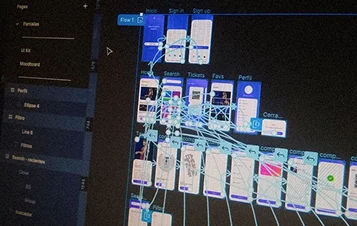
Prototypes and Concept Tests
Test key product assumptions with focused prototypes and user feedback.
Best For
- Testing product ideas or features
- Reviewing UX and behavior
- Assessing uncertain scope
Advantages
- Focused concept evaluation
- User testing and feedback
- Evidence for deployment decisions
SECTORS
Industry Interfaces with Front End Development
Define frontend access, integrations, accessibility, and review around the audience and task. Involve qualified stakeholders for financial, clinical, or other consequential workflows.
Financial Service
Scope financial interfaces with appropriate verification, permissions, and qualified review before consequential actions.
Define healthcare portals with qualified privacy and clinical review. Test access, forms, and system handoffs.
Connect storefront tasks to approved catalog and checkout systems. Test performance, errors, and customer journeys.
Build operator and vendor interfaces around permitted data, tested task states, and qualified operational review.
Connect property tasks and CRM information with defined permissions, update validation, and staff review.
Scope tenant administration, billing interfaces, and partner access. Test roles and cross-tenant boundaries.
OUR PROCESS
Our Front End Delivery Stages
Map users and tasks, define interface patterns, then build and test connected journeys. Agree release criteria and document decisions, dependencies, and handover duties.
Step 01
Scope and User Review
Scope and User Review
Map users, tasks, and acceptance criteria. Prototype uncertain flows before committing to wider implementation.
Step 02
Design and Validate
Design and Validate
Define rendering, navigation, data states, and reusable components with documented usage rules.
Step 03
Build and Test
Build and Test
Implement components and APIs against agreed contracts. Test important journeys, failure states, and responsive behavior.
Step 04
Test, Release, and Review
Test, Release, and Review
Review functional, accessibility, and performance findings before release. Agree monitoring, support, and change ownership.


ABOUT US
Your Front End Development Partner
DigiWeta builds front end experiences around user tasks and connected systems. Scope components, data interactions, integrations, and testing with your team. Keep release criteria and maintenance responsibilities clear before handover.
- Shared components and design rules
- Tested performance and accessibility
- Assessed rendering and delivery
- Defined API contracts and access
- Reviewed failures and recovery
- Release and interface testing
Process Automation Efficiency
0
%
Intelligent Decision Support
0
/7
Frequently Asked Questions
Define users, tasks, data, and operating constraints first. Agree component, integration, accessibility, and performance criteria before building and testing the interface.
Scope portals, commerce, and dashboards around user tasks, access, and integration needs, with defined tests and review.
Define API, release, monitoring, and support duties in the scope before work begins.
Define a bounded sprint, prototype, or modernization scope with clear acceptance criteria, dependencies, and handover.
Compare the scope, tests, integrations, accessibility requirements, and operating duties against your product needs. Ask for clear limits and review evidence.
Define roles, tenant boundaries, and connected records. Test backend authorization as well as interface behavior.
Agree monitoring, maintenance, incident duties, and improvement work separately. Define what is covered and who owns changes after handover.
Agree contracts, responsibilities, tests, and release coordination with your technical teams, with documented handover and change expectations.
Plan Your Next Front End
Discuss your users, interface, integrations, and performance needs with DigiWeta. Define a practical front end scope and measurable acceptance criteria.